Key Takeaways
- Cloud-Based Software: Perfect for flexibility, remote access, cost savings, and quick implementation.
- On-Premise Software: Best for control, customization, and in-house security management.
- Decision Factors: Keep in mind the budget, scalability, IT capacity, and business needs before choosing.
What is Cloud-Based Inventory Management Software?
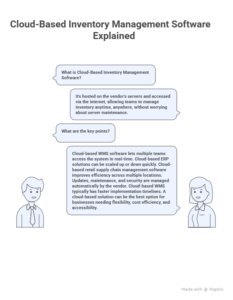
Cloud-Based Inventory Management is hosted on the vendor’s servers and accessed via the internet. It allows teams to manage inventory anytime, anywhere, without worrying about server maintenance.
Key points:
- Cloud-based WMS software lets multiple teams access the system in real-time.
- Cloud-based ERP solutions can be scaled up or down quickly, making them ideal for growing businesses.
- Cloud-based retail supply chain management software improves efficiency across multiple locations.
- Updates, maintenance, and security are managed automatically by the vendor.
- Cloud-based WMS typically has faster implementation timelines, often just weeks.
- A cloud-based solution can be the best option for businesses needing flexibility, cost efficiency, and accessibility.
What is On-Premise Inventory Management Software?
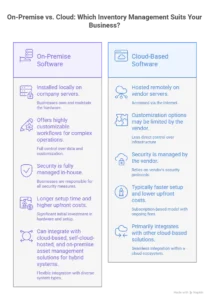
On-Premise Inventory Management is installed locally on company servers. Businesses own and maintain the hardware, servers, and infrastructure, giving full control over data and customization.
Highlights:
- Offers highly customizable workflows for complex operations.
- Security is fully managed in-house.
- Longer setup time and higher upfront costs than cloud solutions.
- Can integrate with cloud-based, self-cloud-hosted, and on-premise asset management solutions for hybrid systems.
Cloud-Based vs On-Premise Inventory Management Software Key Differences
|
Factor
|
Cloud-Based Inventory Management |
On-Premise Inventory Management
|
| Deployment |
Hosted on vendor’s cloud, accessible from multiple warehouses, stores, or remote locations |
Installed on company servers, access limited to on-site systems unless VPN configured |
| Cost Model |
Subscription-based (OpEx), pay per user/location, no heavy upfront hardware costs |
High upfront licensing + server & infrastructure costs (CapEx) |
| Scalability |
Easily expands to new warehouses, product lines, or business growth without extra hardware |
Limited scalability; adding warehouses or locations requires new servers & setup |
| Accessibility |
Real-time inventory visibility across multiple locations, mobile access for warehouse staff |
Access restricted to on-premise terminals; remote tracking requires custom setup |
| Maintenance & Updates |
Software updates, backups, and system maintenance are managed by the vendor. |
Updates, backups, and troubleshooting are the responsibilities of the In-house IT team. |
| Security |
Vendor offers cloud security, encryption, and compliance management; data is shared across a multi-tenant system |
Full control over inventory data, internal security protocols, and compliance |
| Customization |
Limited to vendor-provided modules; may support API integrations |
Fully customizable workflows, inventory rules, and reports |
| Implementation Speed |
Quick deployment (weeks), ideal for rapid inventory system adoption |
Longer deployment (months), requires setup, server configuration, and testing |
| Reporting & Analytics |
Built-in dashboards, real-time stock levels, predictive analytics via AI |
Custom reports, deeper legacy integration, may require BI tools |
| Disaster Recovery |
Automatic cloud backups; minimal downtime |
Must manage own backups, failover systems, and disaster recovery planning |
This table clearly showcases why cloud-based software is better than on-premise for businesses seeking flexibility, cost efficiency, and automation. Meanwhile, on-premise software is ideal for companies that need full control and customisation.
Cloud-Based Inventory Management Software: Benefits & Drawbacks

Benefits of Cloud-Based Inventory Management
- Scalable and flexible to adapt to business growth.
- Lower upfront costs, avoiding expensive hardware and licenses.
- Accessible anywhere with internet.
- Automatic updates and minimal IT burden.
- Quick implementation, usually in a few weeks.
Drawbacks of Cloud-Based Inventory Management
- Limited customization depending on the vendor.
- Needs a stable internet connection.
- Ongoing subscription fees.
On-Premise Inventory Management Software: Benefits & Drawbacks

Benefits of On-Premise Inventory Management
- Full control over data security and access.
- Highly customizable to fit specific workflows.
- Does not depend on internet connectivity.
- Suitable for sensitive or complex operations.
Drawbacks of On-Premise Inventory Management
- High upfront investment in servers and software licenses.
- Requires in-house IT staff for maintenance.
- Longer implementation times, often months.
- Scalability requires extra investment.
Key Factors to Consider Before Choosing
When selecting the Right Inventory Management Solution, consider:

Business Size: Cloud solutions may be more useful to small and medium businesses.
IT Capacity: Well-organized IT teams are capable of managing in-premises systems.
Budget: Cloud is less costly initially; on-premise is CapEx-intensive.
Scalability Requirements: Cloud ERP is superior to on-premise ERP for growing enterprises.
Security Requirements: Sensitive industries favour on-premise solutions.
Real-World Examples

On-Premise Example (Large Global Logistics Firm)
An on-premise inventory management software is needed by a multinational logistics company to manage sophisticated business operations with high levels of security and tailor-made workflows. The control and customization also make it the most preferable although it has longer implementation and also has higher costs.
Cloud Example (Shipping Company – Dubai)
A Dubai-based shipping company has cloud-based a WMS software. Real-time inventory data can be accessed by several warehouses and distant teams. Cloud-based inventory management is quick to implement, expandable, and can be accessed anywhere, which ensures operations are quick.
Which Option is Right for Your Business?

A cloud-based solution is the best option if your priority is flexibility, remote access, cost efficiency, and scalability.
If your business requires full control, customization, and in-house security management, on-premise software is ideal.
The final decision should be taken by considering business size, budget, IT resources, and growth plans.
Conclusion
Choosing between Cloud-Based vs On-Premise Inventory Management Software is more than a technical choice—it’s a strategic decision.