Key Takeaways
- A good queue management system should improve both operations and customer satisfaction.
- Focus on integration, analytics, and scalability before price.
- Test the software thoroughly — and pick a vendor with reliable support like EBR.
Core Functionality
A queue management system should do more than issue tickets — it should keep people and processes moving smoothly. The goal is to organize customer flow in real time, reduce waiting stress, and help staff serve faster. When evaluating options, ask yourself: does the software actually make queues easier to manage from both sides — the customer and the staff?
Queue Creation & Management
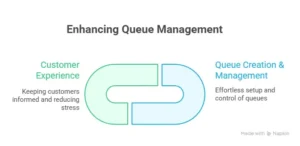
A good queue management system should make setting up and controlling queues effortless. You should be able to manage multiple service points, set priorities, and move people between counters without confusion. Whether customers walk in, check in via kiosk, or join virtually from their phones, the system should handle it all with a few clicks.
Customer Experience
Customers don’t like to wait — but they hate uncertainty even more. Look for software that keeps them informed about their position in line, waiting times, and service updates. Virtual queuing, mobile notifications, and clear digital displays can turn long waits into smoother experiences. The less guesswork for customers, the happier they’ll be.
Technical Requirements
Queue management isn’t a standalone process; it connects with everything from your CRM to your ID scanners. A technically strong system brings all these moving parts together so customers move seamlessly through each step.
Integration Capabilities
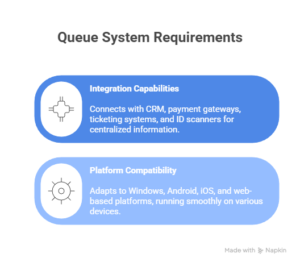
The best systems don’t work in isolation. They connect easily with your CRM, payment gateways, ticketing systems, and even ID scanners. This gives the staff access to all the information in one place, and data remains accurate.
Platform Compatibility
Whether your business uses Windows, Android, iOS, or a web-based platform, your queue system should adapt — not the other way around. It should also run smoothly across devices like tablets, kiosks, or smartphones without heavy hardware needs.
Analytics & Reporting
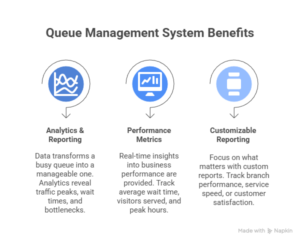
Data is what turns a busy queue into a manageable one. Analytics show when traffic peaks, how long people wait, and where bottlenecks occur. With the right insights, you can balance staff shifts, open more counters, or improve service delivery times.
Performance Metrics
A strong queue management system gives you real-time insights into how your business is performing. You can track metrics like average wait time, number of visitors served, and peak hours. These numbers help you make better staffing and scheduling decisions.
Customizable Reporting
No two businesses measure success the same way. Custom reports let you focus on what matters — from branch performance to service speed or customer satisfaction. Without a doubt, a single dashboard with all these insights gives you the power to detect issues at an early stage and enhance your routine operations.
Scalability & Flexibility
As your customer base grows, so does your queue. The right software should handle this growth without slowing down or breaking processes.
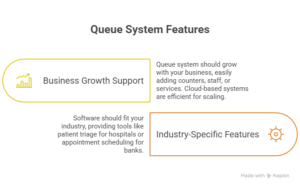
Business Growth Support
Your queue system should grow with you. Whether you’re managing one branch or fifty, adding new counters, staff, or services should be easy. Scaling is generally managed most efficiently by cloud-based systems as they are updated automatically, and storage is extended whenever required.
Industry-Specific Features
Every business queues differently. Hospitals need patient triage tools, while banks might need appointment scheduling. Look for software that fits your industry instead of forcing you to work around its limits.
User Experience & Support
A queue management tool should make life easier, not more complicated. The easier it is for staff to operate, the smoother the queue moves.
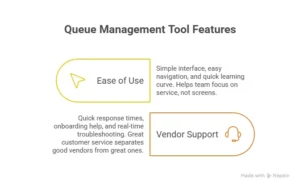
Ease of Use
It is definitely not the right system if your employees have to refer to a manual every time they have to issue tickets. A system with a simple interface, easy navigation, and a quick earning curve is very effective. The software should help your team focus on service, not screens.
Vendor Support
Even the best software needs reliable support. Choose a vendor that offers quick response times, onboarding help, and real-time troubleshooting. Great customer service behind the software is often what separates good vendors from great ones.
Security & Compliance
Queue systems handle personal data like names, phone numbers, and IDs. Protecting that information is a must — not an option.

Data Protection
Queue management systems collect sensitive data — from customer names to contact details. Make sure the software encrypts data and uses secure cloud servers. Regular security updates and backups keep everything safe from breaches or loss.
Industry Compliance
Different industries follow different rules. For instance, healthcare must comply with strict data privacy standards. The software you pick should meet all local regulations and certifications to keep you legally covered.
Pricing Considerations
Queue software pricing varies widely, but the real question is: are you getting value equal to the experience it delivers?
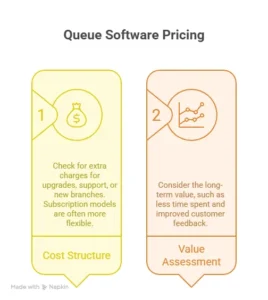
Cost Structure
Don’t just look at the base price. Check if the vendor charges extra for upgrades, support, or new branches. Subscription models are often more flexible than one-time purchases because they include regular updates and cloud access.
Value Assessment
Trying to get things done at a lower price isn’t always the most effective approach. Consider the long-term value, such as less time spent, more efficient processes, and improved customer feedback, which are all factors of the actual return on investment.
Trial & Evaluation
Before committing, test the system in action. Watch how it handles queues during real customer hours.
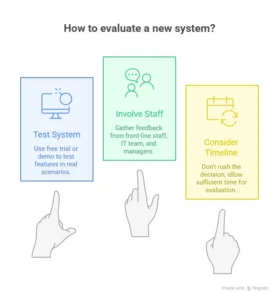
Testing Options
Most reputable providers offer a free trial or demo. Use it. Test every feature — from ticket creation to data reporting — in real scenarios. It’s the best way to see if the system fits your workflow.
Decision Timeline
Don’t rush. Involve your front-line staff, IT team, and managers in the final decision. They’ll be the ones using the software daily, so their feedback matters most.
Common Mistakes to Avoid
Many businesses choose queue systems based on looks or price alone. The real test is functionality and support. Avoid solutions that look good in demos but can’t scale when you grow. Also, double-check that your chosen software integrates smoothly with your existing systems — switching later can get messy and costly.
How EBR’s Queue Management System Covers It All
EBR’s Queue Management Software is built to handle all these checkpoints. It simplifies queue creation, connects with multiple platforms, and delivers insights in real time. Whether it’s managing hospital lines, government offices, or retail stores, EBR helps businesses keep operations smooth and customers satisfied. It’s flexible, secure, and backed by strong support — everything you need to manage queues with confidence.
Conclusion
Finding the right queue management software doesn’t have to be overwhelming. If you understand what features to check first, be it integration, analytics or user experience, then you will be able to pick a system that not only improves the service but also the productivity.
EBR Software checks every box, helping businesses turn long waits into organized, positive customer experiences.