Key Takeaways
- Cloud ERP vs. On-Premise ERP each has its strengths: cloud provides flexibility, lower upfront costs, and easy remote access, while on-premise offers control, customization, and strong security.
- Choosing the Right ERP Software for our Business relies on factors like budget, IT resources, need for customization, and scalability. There’s not a standard solution.
- Hybrid ERP can be a smart middle path, letting businesses combine the best of both worlds. It keep critical systems in-house while utilizing cloud flexibility for other operations.
What is Cloud ERP?
Cloud ERP is software residing in servers of the vendor and can be accessed through the internet. Imagine it to be similar to Google Docs or Dropbox, you do not have to install updates or run servers, since all that is done on your side.
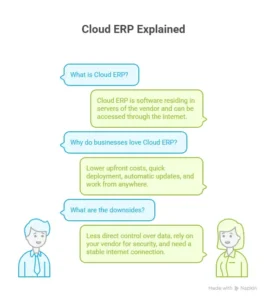
Why businesses love Cloud ERP:
- Lower upfront costs – No need to buy expensive hardware.
- Quick deployment – You can start using it almost immediately.
- Automatic updates – You get the latest features without extra effort.
- Work from anywhere – Perfect if your team is spread across locations.
But it’s not perfect. You have less direct control over data, rely on your vendor for security, and need a stable internet connection.
What is On-Premise ERP?
On-Premise ERP is hosted on the servers of a company and it is managed by its own staff. Think of how you would have all your files on your office computer. You control everything—but it comes with responsibilities.

Advantages of On-Premise ERP:
- Full control – You manage data, servers, and infrastructure.
- High customization – You can tweak it to fit your exact needs.
- Reliable performance – Less dependent on internet issues.
- Enhanced security – Ideal for businesses with strict compliance needs.
Challenges include:
- High upfront costs – Hardware, licenses, and IT staff aren’t cheap.
- IT burden – Someone has to manage updates and troubleshoot issues.
- Slow deployment – Setup can take weeks or months.
- Limited mobility – Working remotely requires extra setup.
Key Differences Between On-Premise ERP and Cloud ERP
| Factor |
On-Premise ERP |
Cloud ERP |
| Deployment |
Installed on local servers |
Hosted on vendor cloud |
| Cost |
High upfront CapEx |
Lower upfront, ongoing OpEx |
| Scalability |
Limited, requires hardware |
Highly scalable |
| Customization |
Easier to modify |
Limited customization |
| Security |
Full control |
Depends on vendor |
| Updates |
Manual, often delayed |
Automatic, frequent |
| Mobility |
Restricted |
Access from anywhere |
| Integration |
Complex, internal IT needed |
Easier with APIs |
| Performance |
Hardware-dependent |
Internet-dependent |
| Backup & Recovery |
Managed in-house |
Vendor-managed |
| Future Readiness |
Slower upgrades |
AI/automation ready |
This table gives a quick overview at the differences between on-premises ERP and cloud ERP, but let’s explain a bit more in easy language.
- Deployment & Cost: Cloud ERP saves money advance and is faster to start. On-premise requires a big initial investment but gives full control.
- Scalability & Customization: Cloud ERP adjusts easily if your business grows. On-premise lets you customize freely, but expanding means more hardware and IT work.
- Security & Updates: On-premise gives you hands-on security control, while cloud ERP relies on the vendor. Updates are automatic in the cloud, but manual on-premise.
- Mobility & Performance: Cloud ERP works anywhere you have internet, but on-premise is tied to your local servers.
Pros and Cons of Cloud ERP
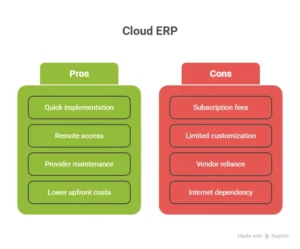
Advantages of Cloud ERP
- Quick to implement and easy to scale.
- Remote access makes working from anywhere seamless.
- Updates and maintenance are handled by the provider.
- Subscription model reduces upfront costs.
Disadvantages of Cloud ERP
- Subscription fees can add up over time.
- Limited customization options.
- Reliance on vendor for security and uptime.
- Needs stable internet to function reliably.
Pros and Cons of On-Premise ERP
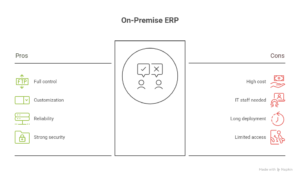
Advantages of On-Premise ERP
- Full control over data and infrastructure.
- Highly customizable for unique business needs.
- Reliable performance independent of internet issues.
- Strong security for sensitive data.
Disadvantages of On-Premise ERP
- Large upfront investment.
- Requires dedicated IT staff for management.
- Longer deployment period.
- Limited remote access without additional setup.
How to Choose: Cloud vs On-Premise ERP
Picking the right ERP system depends on your business priorities:
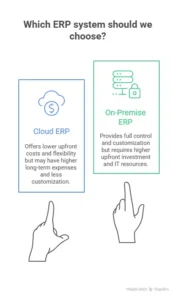
- Budget & Costs: Do you opt lower upfront costs or full control with higher investment?
- IT Resources: Can your team manage updates and maintenance, or do you want someone else to do it?
- Flexibility & Growth: Do you need a system that grows easily?
- Customization: How important is personalizing the system to your exact workflow?
If you able to answer above questions, it becomes much easier to pick the right system for your business.
Hybrid ERP: A Middle Path
Some companies use a hybrid ERP—mixing on-premise and cloud solutions. You might keep sensitive data on local servers but run other applications in the cloud. It’s like having your most important files in your office computer while sharing other files online for easy access by the team.
Switching from On-Premise to Cloud ERP
Moving to the cloud requires planning:
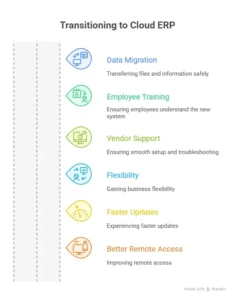
- Data migration: Transfer files and information safely.
- Employee training: Make sure employees understand the new system.
- Vendor support: Ensure smooth setup and troubleshooting.
Executed perfectly, this can give your business flexibility, faster updates, and better remote access.
Final Thoughts: Choosing the Right ERP for Your Business
There’s no universal solution. In case you need control and customization, then on-premise. Choose cloud ERP when you need to have flexibility, remote access and reduced upfront costs. And in case you require a blend, think about a hybrid ERP.
It all comes to the point of better understanding your team, your growth plans and which management style will best fit to your business. No matter the option you select- On-Premise or Cloud-Based ERP, the right EBR ERP solution can streamline your operations, make smarter decisions easier, and help your business stay ready for whatever comes next.