Key Takeaways
- The best HR processes to automate are repetitive, rule-based, and time-consuming — payroll, onboarding, compliance tracking, and leave management top the list.
- Standardise your processes before you automate them. A broken process automated quickly is still a broken process.
- Automation frees HR professionals to focus on people, culture, and strategy — the work that actually needs a human touch.
What Is HR Automation?
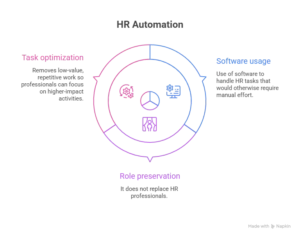
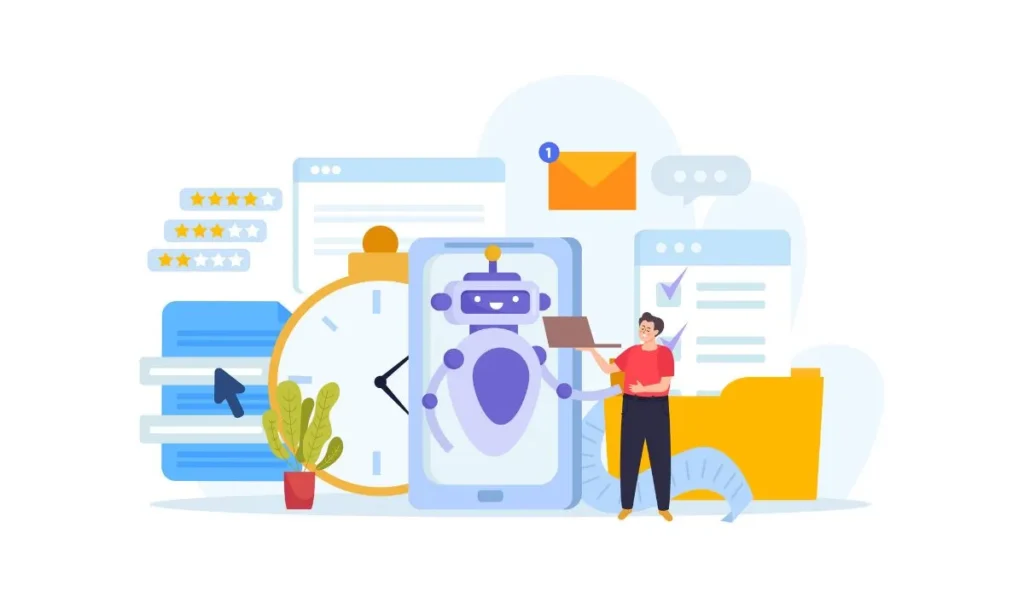
HR automation is the use of software to handle HR tasks that would otherwise require manual effort.
It doesn’t replace HR professionals. It removes the low-value, repetitive work so they can focus on higher-impact activities.
Think of it this way — your HR team shouldn’t be spending Friday afternoon chasing timesheet approvals.
How to Determine Which HR Processes Can Be Automated

Not everything should be automated. The best candidates share a few common traits.
They’re repetitive. If your team does the same task the same way every week, it’s worth automating.
They follow a clear process. Automation works best when there are defined rules and predictable outcomes.
They don’t require human judgment. Approving leave based on a policy rule is automatable. Having a difficult performance conversation is not.
Start by listing where your HR team spends the most time. The answer almost always reveals the best starting points.
Top HR Processes That Can Be Automated

1. Recruitment and Talent Sourcing
Posting jobs, screening CVs, scheduling interviews, sending rejections — recruitment involves a lot of repeatable steps.
Automation handles job posting across channels simultaneously. AI screening tools filter applications based on defined criteria. Interview scheduling syncs calendars and sends confirmations automatically.
Your recruiters spend time on actual candidates, not admin.
2. Employee Onboarding
New hire onboarding involves a long checklist — contracts, welcome emails, system access, training schedules, equipment requests.
Automation triggers the full onboarding workflow the moment a new hire is added to the system. Documents go out for signature automatically. Tasks get assigned to the right teams.
New hires get a consistent, professional experience every time.
3. Employee Offboarding
Offboarding is just as process-heavy as onboarding — and often managed more loosely.
Automated workflows trigger exit tasks the moment a resignation is confirmed. IT access removal, equipment return, exit interview scheduling, final payroll processing.
Nothing gets missed. Everything is documented.
4. Time and Attendance Management
Manually tracking hours, calculating overtime, and chasing missing timesheets takes time for everyone involved.
Automated time tracking captures hours digitally, flags discrepancies, and feeds directly into payroll. Managers approve in one click. Employees get reminders if they forget to submit.
5. Payroll Processing
Payroll is time-critical and error-prone when done manually.
Automated payroll pulls approved hours, applies tax calculations, handles deductions, and generates payslips automatically. Pay runs that used to take a day get done in minutes.
Errors that upset employees and create compliance risk get dramatically reduced.
6. Employee Benefits Administration
Open enrollment, benefits queries, life event changes — benefits administration generates a constant stream of repetitive requests.
Automation lets employees self-serve through a portal. They enroll, make changes, and access information without emailing HR.
The system updates records automatically.
7. Expense Claims Management
Submitting, reviewing, and approving expense claims involves a lot of back-and-forth when done manually.
Automated expense management lets employees submit claims via mobile, routes them to the right approver, applies policy rules, and processes reimbursements — without anyone chasing the process along.
8. Employee Data Management
Keeping records current across multiple systems is painful to do manually. A name change, a new address, a promotion — each update needs to happen in several places.
With automation, a single update propagates across all connected platforms. Data stays accurate without anyone manually syncing records.
9. Performance Management
Annual review cycles, 360-degree feedback, goal tracking — performance management involves a lot of coordination and follow-up.
Automation sends review reminders, collects feedback from relevant people, tracks goal progress, and compiles data into structured reports.
The process happens on schedule without HR chasing everyone.
10. Learning and Development
Assigning training, tracking completion, managing certification renewals — it’s a constant administrative burden.
Automated L&D systems assign courses based on role or onboarding stage, send reminders as deadlines approach, and update records when training is completed.
Compliance training benefits enormously from this.
11. Compliance and Documentation Management
Employment law changes. Contracts expire. Certifications lapse.
Automated compliance tools flag upcoming renewals, send notifications before deadlines, and maintain a full audit trail of documents and approvals.
You’re always prepared, not always catching up.
12. HR Support and Service Desks
HR teams answer the same questions constantly. Leave balances, payslip queries, policy clarifications, IT access requests.
An automated HR chatbot handles these instantly, around the clock. Complex queries get escalated to a real person. Routine ones get resolved immediately.
13. Notifications and Reminders
Probation reviews, contract renewals, performance deadlines, anniversary milestones — tracking these manually across a growing team is nearly impossible.
Automation sends the right notification to the right person at the right time. Nothing gets missed because the system handles it, not a person trying to remember.
14. Reporting and HR Analytics
Generating HR reports manually takes hours of pulling data from multiple sources and hoping nothing changes before the meeting.
Automated reporting pulls live data and generates accurate reports on demand. Headcount, turnover, absence rates — always available, always current.
HR Automation Software Providers
All-in-One HR Suites
Platforms like EBR, Workday, BambooHR, and SAP SuccessFactors cover the full HR lifecycle in one system. Best for businesses that want everything in one place.
Recruitment and Applicant Tracking Tools
Greenhouse, Lever, and Workable specialise in recruitment automation — job posting, candidate tracking, interview scheduling, and offer management.
Payroll and Benefits Administration Tools
Gusto, ADP, and Paychex automate payroll processing, tax calculations, and benefits administration across different business sizes.
Onboarding and Offboarding Tools
WorkBright and Enboarder focus specifically on creating smooth, automated onboarding and offboarding experiences.
Compliance Management Tools
Platforms like Compli and ComplyAdvantage help businesses track regulatory requirements, manage documentation, and stay audit-ready.
Benefits of HR Automation
Time savings are the most immediate benefit. Automated workflows remove hours of manual work from your HR team’s week — every week.
Accuracy improves too. Manual processes introduce human error. Automated ones apply the same rules consistently every time.
Employee experience gets better. Faster responses, self-service options, and consistent onboarding all make a real difference.
Compliance risk decreases when documentation, reminders, and audit trails run automatically.
And data quality improves across the board. When systems connect and updates happen automatically, your HR data stays accurate and current.
How to Effectively Implement HR Automation

Step 1: Survey and Document Manual Processes Primed for Automation
List every repetitive, time-consuming HR task your team handles. Talk to the people doing the work — they know where the pain is.
Prioritise based on time cost, error frequency, and impact on employee experience.
Step 2: Select the Right HR Automation Tools
Match tools to the specific processes you’re automating. Don’t buy an all-in-one suite if you only need to fix payroll and onboarding.
Check integrations, ease of use, pricing, and support quality before committing.
Step 3: Integrate Automation Tools with Existing Systems
Automation only works when systems talk to each other. Make sure new tools connect with your existing HRMS, payroll software, and communication platforms.
Poor integration creates duplicate data entry and defeats the purpose.
Step 4: Collect and Manage Employee Data
Clean, accurate employee data is the foundation of effective automation. Before you go live, audit your existing data and fix errors.
Garbage in, garbage out.
Step 5: Standardize the Process
Before automating a process, standardise it. Automation works best when there’s a consistent, agreed way of doing something.
If different managers handle the same process differently, agree on one approach first — then automate it.
Step 6: Analyze Data, Optimize, and Report
Once automation is running, review the data it generates. Are workflows completing on time? Where are bottlenecks appearing?
Use what you learn to keep improving.
Step 7: Maintain and Update Regularly
Employment law changes. Business processes evolve. Your automation needs to keep up.
Schedule regular reviews to make sure workflows still reflect your current policies.
Step 8: Follow Best Practices for a Smooth Rollout
Communicate what’s changing and why before it goes live. Train the people who’ll use the new systems.
Start with one or two processes. Get it right, then expand.
When to Implement HR Automation
The right time is usually earlier than most businesses think.
If your HR team spends more time on admin than on people — it’s time. If you’re scaling fast and manual processes are becoming a bottleneck — it’s time. If onboarding is inconsistent, payroll errors are happening, or compliance is slipping — it’s time.
Small and medium businesses often see the fastest returns because manual processes are taking up a disproportionate share of a small team’s time.
Challenges of HR Automation
Resistance from staff is the most common challenge. People worry automation means job losses. Clear communication about what’s changing goes a long way.
Data privacy concerns are real. HR data is sensitive. Make sure any tool you use meets data protection requirements in your region.
Poor implementation creates new problems. Rushing the rollout or automating a broken process just makes the broken process run faster.
Integration failures are expensive. Always verify compatibility with existing systems before signing a contract.
And over-automating is a genuine risk. Anything that requires empathy, judgment, or relationship management should stay human.
Frequently Asked Questions
What is HR automation?
The use of software to handle repetitive, rule-based HR tasks — like payroll, onboarding, leave management, and compliance tracking — without manual effort.
How can HR automation improve employee satisfaction?
Faster responses, consistent onboarding, self-service access to information, and fewer payroll errors all make the employee experience noticeably better.
What are the key challenges in implementing HR automation?
Staff resistance, data privacy concerns, poor system integration, and automating processes that haven’t been standardised first.
What role does AI play in the future of HR?
AI is improving CV screening, predictive analytics, engagement sentiment analysis, and personalised learning. It’s moving HR from reactive to proactive.
How can organisations balance automation with maintaining a human touch?
Automate the process-driven tasks. Keep humans involved in anything that requires judgment, empathy, or relationship management.
What HR processes should be automated first?
Start where the pain is greatest. Payroll, onboarding, leave management, and compliance notifications typically deliver the fastest returns.
What are the best HR automation software tools?
It depends on what you’re automating. BambooHR and Workday for all-in-one HR. Greenhouse for recruitment. Gusto for payroll. The right tool depends on your specific needs.
Conclusion
HR automation isn’t about replacing people. It’s about removing the work that shouldn’t need people in the first place.
When your HR team isn’t buried in admin, they can focus on what actually matters — building culture, developing talent, and supporting the people who make your business run.
Start with your biggest pain points, choose tools that integrate properly, and roll out gradually.
At EBR, we help businesses implement HR automation that actually works — from identifying the right processes to selecting the right tools and supporting your team through the transition.