Key Takeaways
- HR chatbots handle repetitive tasks like leave requests, policy queries, and IT tickets — freeing your HR team for more meaningful work.
- They work across the full employee lifecycle but still need human support for complex or sensitive situations.
- Start with your biggest pain point and make sure it integrates with your existing tools before committing.
What Tasks Can an HR Chatbot Handle?

Much more than what you’d expect.
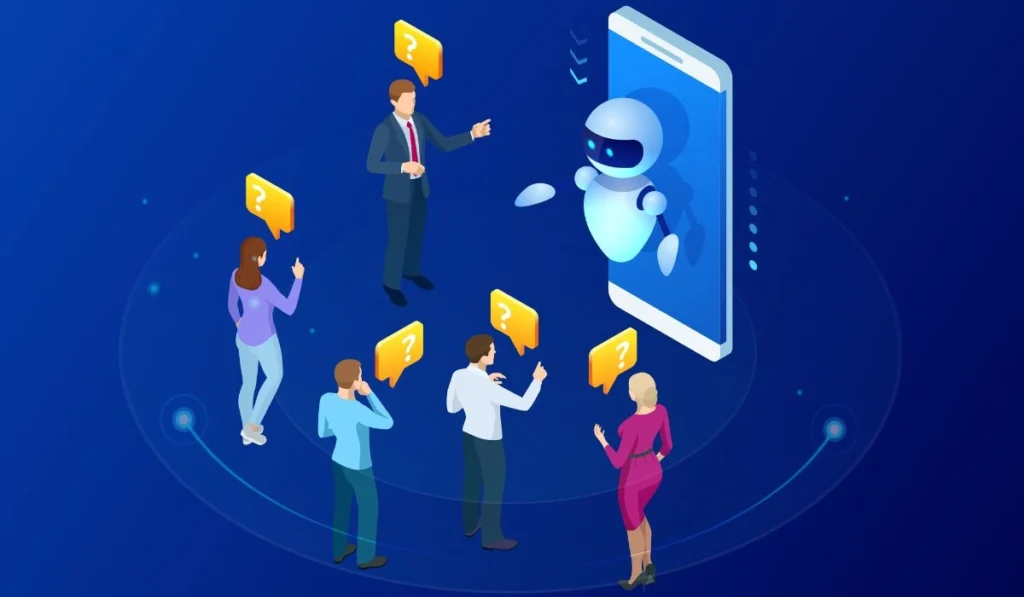
HR Software chatbots can provide answers to employee inquiries, direct individuals through processes, gather information and even initiate workflows without any hand of your HR team. Consider it as a knowledgeable assistant that is always at your service, and never gets tired of answering the same question.
These common tasks involve answering policy questions, processing leave requests, assisting with onboarding, resetting passwords and directing IT support tickets. If there is a logical sequence, it’s likely that it can be automated.
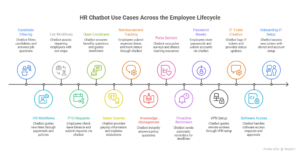
HR Chatbot Use Cases Across the Employee Lifecycle
HR chatbots don’t just sit in one corner. They show up at every stage of the employee journey — from the first interview to the last day.
Recruiting and Talent Management
Chatbots can filter out the candidates, answer questions regarding available jobs, and even automatically book interviews. They save recruiters hours a week, and provide candidates with a quick response instead of waiting days for a reply.
Employee Onboarding (HR Workflows)
New hires have a lot of questions. A chatbot walks them through paperwork, explains company policies, and reminds them about pending tasks — so they feel supported from day one without overwhelming your HR team.
Employee Offboarding and Exit Workflows
When someone leaves, there’s a checklist to follow. Chatbots guide departing employees through exit steps, collect equipment return confirmations, and trigger the right internal notifications automatically.
Leave and PTO Management
Employees can check their leave balance, submit a request, and get approval status — all through a chat window. No emails, no back-and-forth, no delays.
Benefits Enrollment and Inquiries
Open enrollment season can flood HR inboxes. A chatbot handles the common questions — “What’s covered?” “When’s the deadline?” — and guides employees through enrollment step by step.
Payroll and Salary Queries
Chatbots can pull up payslip information, explain deductions, and answer questions about pay dates. Sensitive data stays protected through role-based access, so employees only see what they’re supposed to see.
Expense Reimbursements and Claims
Employees submit expense claims, track approval status, and get notified when reimbursements are processed — all without chasing down a finance contact.
Policies and Knowledge Management
Instead of digging through a shared drive, employees just ask. “What’s the remote work policy?” “How many sick days do I get?” The chatbot pulls the right answer instantly.
Employee Engagement and Development
Chatbots run pulse surveys, share learning resources, and remind employees about training deadlines. Simple, consistent, and no extra work for HR.
Proactive Notifications and Reminders
From contract renewals to performance review deadlines, chatbots send reminders automatically. Nothing falls through the cracks.
Password Resets and Account Unlocks
Simple but surprisingly time-consuming. Employees reset passwords and unlock accounts themselves — no IT ticket needed, no waiting around.
VPN Setup and Connectivity Troubleshooting
Chatbots walk employees through VPN setup and basic troubleshooting. Remote workers get help instantly instead of waiting on IT.
IT Ticket Creation and Status Updates
Employees describe their issue, the chatbot logs a ticket, and they get updates as it progresses. IT stays organised, and employees aren’t left in the dark.
Software Access Requests and Approvals
Need access to a new tool? The chatbot collects the details, routes the request to the right approver, and notifies the employee once it’s sorted.
Onboarding IT Setup
New joiners get step-by-step help setting up their devices, apps, and accounts on day one — without IT holding everyone’s hand individually.
Challenges Faced by HR Teams

HR teams are stretched thin. Most spend a huge chunk of their week answering the same questions over and over — leave balances, payslip queries, policy clarifications. It’s repetitive and pulls attention away from bigger priorities.
Employees today also expect quick answers. Waiting a day for a reply to a simple question feels frustrating when everything else is instant.
And scaling is a real problem. A team that managed 100 employees fine can feel completely overwhelmed at 500.
Key Benefits of Investing in HR Chatbots
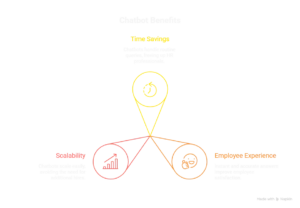
The biggest win is time. When a chatbot handles routine queries, HR professionals get hours back every week.
Employees get a better experience too. Instant answers feel good. Consistent, accurate ones feel even better.
And for growing companies, chatbots scale easily. You don’t need to hire five more HR staff just because headcount doubled.
Disadvantages / Challenges of Implementing HR Chatbots
Chatbots struggle with complex, nuanced situations — a difficult performance conversation, a sensitive HR issue, anything that needs real human judgment.
Setup takes effort too. Training the chatbot on your specific policies and processes isn’t something you do in an afternoon.
And if your knowledge base gets outdated, the chatbot gives wrong answers. Keeping it current is an ongoing job, not a one-time task.
Real-World HR Chatbot Examples from Companies
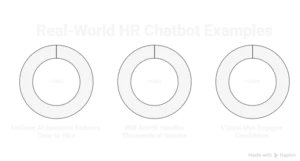
Unilever uses an AI assistant to handle candidate screening and onboarding queries — reducing time-to-hire noticeably.
IBM’s HR chatbot, AskHR, handles thousands of employee queries every week covering benefits, payroll, and more.
L’Oréal uses a chatbot called Mya to engage candidates during recruitment, answer questions, and keep applicants updated on their status.
These aren’t experiments. They’re live, everyday operations.
How to Choose the Right AI Chatbot for HR Support
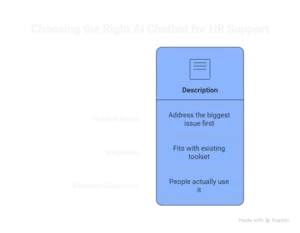
Begin with the biggest problem. There’s a chatbot that can deal with leave management, and if that’s eating your employees’ time, you need one. Don’t attempt to do it all at once.
Look at how it fits with your toolset, whether that is your HRMS, payroll software, Slack or Teams. A chatbot that is not integrated into your systems is more work than it is worth.
Also consider employee experience. The usual “best chatbot” is the one that people use.
Frequently Asked Questions
What does an HR chatbot do?
It answers employee questions, guides people through HR processes, and automates routine tasks like leave requests, onboarding steps, and IT tickets — around the clock.
What is the difference between an HR chatbot and an HR copilot?
A chatbot is employee-facing. An HR copilot is built for HR professionals — helping them draft communications, analyse data, and make decisions faster.
How do HR departments use chatbots and virtual assistants?
To reduce repetitive workload, give employees faster answers, automate workflows, and keep HR processes consistent across the organisation.
Can chatbots truly replace HR professionals?
No. Chatbots handle process-driven work. The human side of HR — culture, sensitive conversations, judgment calls — still needs real people.
How do I create an HR chatbot?
Use platforms like Microsoft Copilot Studio or ServiceNow. Map your key workflows, feed in your policy documents, and test thoroughly before going live.
How do HR chatbots handle payroll and salary queries securely?
Through role-based access controls. Employees only see their own data, and integrations with your payroll system follow your company’s security policies.
Conclusion
HR chatbots won’t replace your HR team. What they will do is take the repetitive stuff off their plate — so your people can focus on work that actually needs them.
If your team is stretched, employees are frustrated with slow responses, or you’re scaling fast — a chatbot is worth serious consideration. At ebr, we help companies put the right tools in place so HR runs smoother without adding more to anyone’s workload.